![Twinview Academy - Purple Background (3).png]](https://content.twinview.com/hs-fs/hubfs/Twinview%20Academy%20-%20Purple%20Background%20(3).png?height=50&name=Twinview%20Academy%20-%20Purple%20Background%20(3).png)
Twinview can take dimensions in both 3D and 2D. Not only can this tool be used for dimensions, but it can also be used to take off areas, angles, etc.
Dimensions can be created in both 3D and 2D views. The dimension tool becomes visible in the View Toolbar when it is available. Clicking on the dimension tool will reveal a sub-menu containing various dimension options. To exit the dimensioning mode and return to the standard view toolbar, click "Done".


Dimension Tool Settings
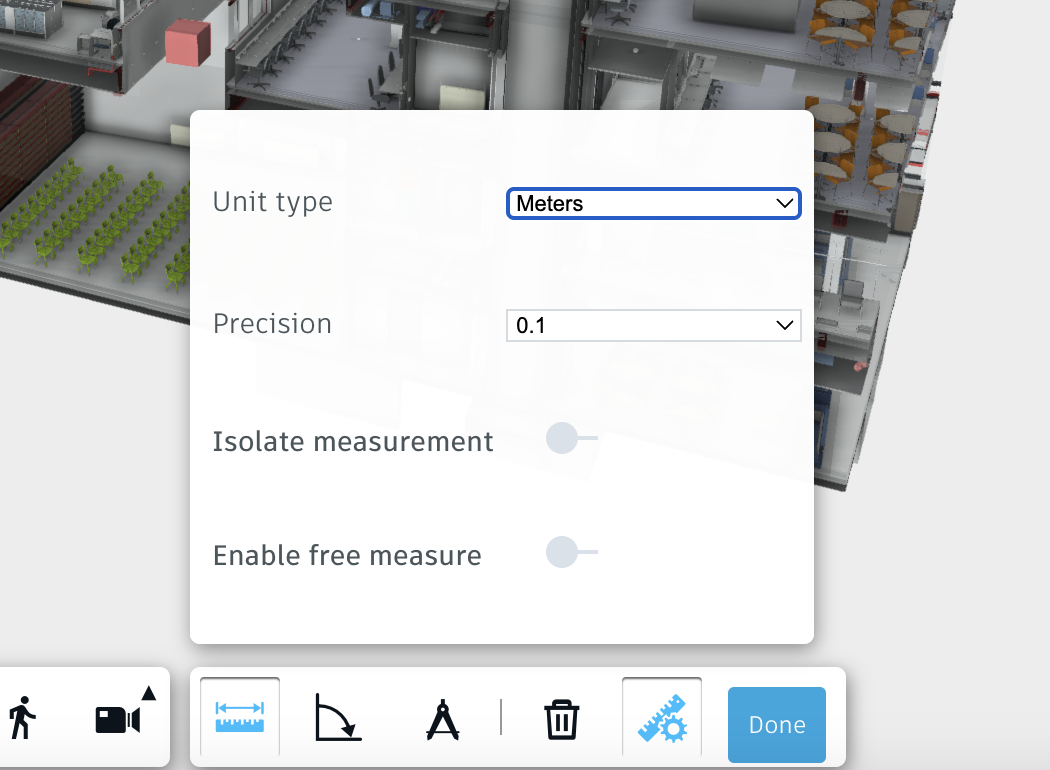
The dimensioning tool has a settings button that appears when the dimension command is active.
Unit Type: The units to use on the dimension labels. This is for the dimension labels only and does not change the project units, which can be changed in the Viewer settings.